Blog
Use OpenPress to start a blog based on my interests. Pick the topic from what you know about me, or ask me a couple of questions first. Choose a template and colors that fit, write a first post with a photo, and publish it.
Free blog hosting · Free MCP server
Talk things through with Claude, ChatGPT or any AI. When something’s worth sharing, say “make this a blog post” and it’s published on your own free blog.
Watch it build
Example site. Tool names are real.
Travel journals, recipe notebooks, field notes, hot takes. Pick a template and your AI makes it yours, so no two blogs come out the same.
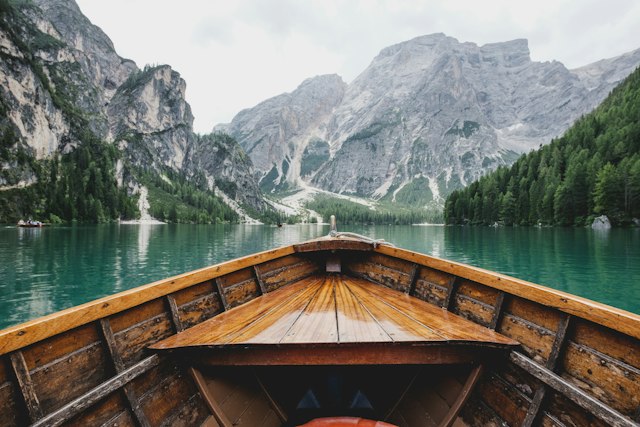
The slow travel journal
Sleepy villages, lakeside swims, and the long way home. A guide to doing less in northern Italy.
The slow travel journal
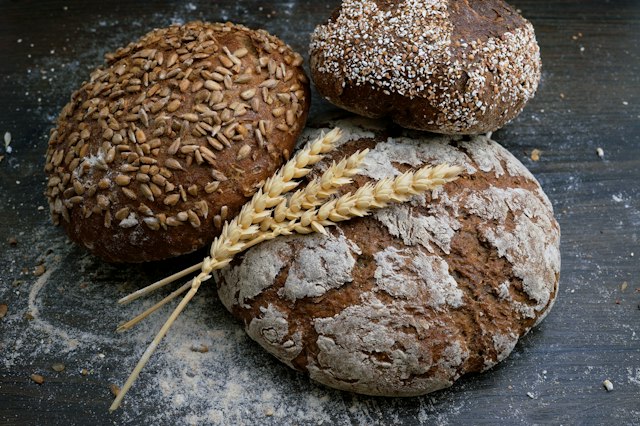
From the kitchen
A slow Sunday loaf with a shattering crust. Let time do the hard part.
From the kitchen

Rooms to live in
Warm wood, afternoon light, and a living room that finally feels like you.
Rooms to live in

Basketball · Culture
Forget the highlight reel. The small, off-ball moments are where great teams are made.
Basketball · Culture
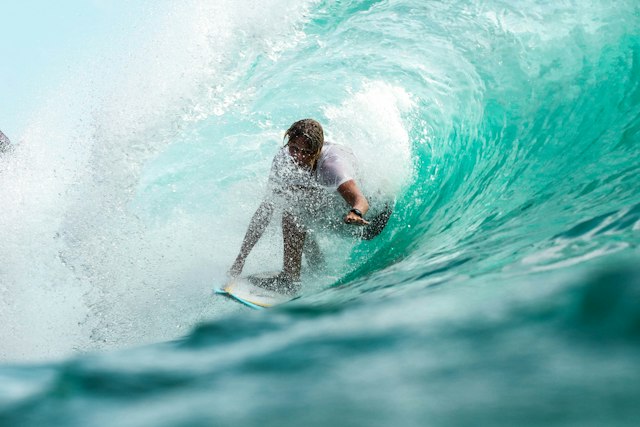
Surf · Stories
Cold water, empty lineups, and the morning ritual we would never trade for sleep.
Surf · Stories

Coffee, considered
One good bag of beans, a simple brewer, and a few small changes to your morning.
Coffee, considered

Crypto, decoded
Follow a transaction from your wallet to the blockchain. No price predictions, just the mechanics.
Crypto, decoded

Outside, always
A weekend above the treeline, where the signal fades and the good conversations start.
Outside, always

Cities after dark
A camera, a late train, and no particular plan. Finding stories on the streets after sunset.
Cities after dark
OpenPress is the free connection between the AI you already talk to and a blog that’s entirely yours.
No editor to learn. Brainstorm, argue, research or plan with your AI, then ask it to turn the good parts into a post in your voice.
Every blog gets a free yourname subdomain, with a homepage, post pages, an about page and tags.
Pick a template, then ask for a warmer palette or a serif headline. Your AI restyles the blog with safe theme settings.
Your AI acts on your behalf, so the server enforces every rule, not the AI.
You choose what each AI can do and on which blog. Deleting always needs your OK in the chat, and you can require it for publishing too.
Your blog stays online with no plugins to update, no server to run and no bill. Free means free: no trial and no card.
Posts are rendered and sanitized when they're saved, so pages load quickly and scripts or unsafe embeds never get through.
Every post is ready for search, sharing and subscribers the moment it’s published.
Titles, descriptions, canonical URLs and structured data are generated for every post. Your AI can tune them too.
Open Graph cards for every post, so links look right in messages and social feeds.
Search engines discover new posts automatically, and readers can follow along in any feed reader.
Visitors, top posts and sources with no cookies and no ad trackers. Ask your AI what's working.
You bring the ideas. Formatting, titles, summaries, images and SEO are handled for you, and you stay in charge of what goes live.
Have your AI save posts as drafts, then read and tweak them in the dashboard with a live preview.
Every edit keeps a revision, and changing a URL leaves a redirect behind so old links still work.
See every publish, edit and permission change, and which AI connection made it.
Pick your name and create an account. It takes under a minute, with no card.
Add the OpenPress MCP server to Claude, ChatGPT, Cursor or any MCP client and approve what it may do.
Talk about anything: a trip, a recipe, something you learned, a problem you solved.
Your AI writes it up, adds a title, a summary and images, and saves or publishes it.
Send the link. Then keep going: every good conversation can become the next post.
Add this URL to your AI app. If you don’t have an account yet, you’ll create one in the sign-in window, then your AI can set up the blog for you.
https://openpress.blog/mcpPaste a starter into your AI once it’s connected. It asks what it needs and builds from there.
Use OpenPress to start a blog based on my interests. Pick the topic from what you know about me, or ask me a couple of questions first. Choose a template and colors that fit, write a first post with a photo, and publish it.
Use OpenPress to make a landing page for my project. Ask me what it is and who it's for, then write the headline, features and call to action, pick a look that suits it, publish it and send me the link.
Use OpenPress to build me a portfolio. Use what you know about my work, and ask about anything you're missing. Add an about section and a few projects with images, then save it as a draft so I can review it before publishing.
Yes. One blog on a free subdomain, 100 MB of images and unlimited MCP access, with no trial and no card. Paid plans may come later for extras like custom domains; the free tier stays.
No. You bring the AI you already use (Claude, ChatGPT, Cursor or any MCP client). OpenPress never calls a language model, so there's nothing extra to pay for.
Through MCP, an open standard that lets AI apps use tools. Once you connect, your AI can create posts, upload images, change the theme and read your analytics, within the permissions you approved.
Only what you approved on the consent screen. Deleting always needs your confirmation in the chat, you can require it for publishing too, and you can have every post saved as a draft first.
Yes. If you can chat with an AI, you can run a blog. There's also a dashboard with an editor, media library and theme settings if you ever want to edit by hand.
Whatever you already talk to your AI about: travel plans, recipes, projects, things you're learning, reviews, opinions. The best posts often start as questions.
Not yet. Every blog gets a free subdomain today; custom domains are planned.
Free blog. Free MCP. Bring your own AI.